Snowflake Virtual Warehouse Sizing for Mixed ETL and Query Workloads
Start small, monitor for spillage, and separate ETL from interactive queries when they conflict.
Snowflake warehouse sizing is a balancing act the moment ETL and interactive queries land on the same compute cluster. This piece walks through how to read the warning signs, pick a defensible starting size, and decide when the right answer is separation rather than a bigger warehouse.
Snowflake virtual warehouses and sizing controls
A virtual warehouse is an on-demand cluster of compute, CPU, memory, and SSD, kept entirely separate from where the data actually lives, and it spins up in milliseconds. That separation of storage and compute is what lets multiple warehouses read the same tables at the same time without duplicating a single byte.
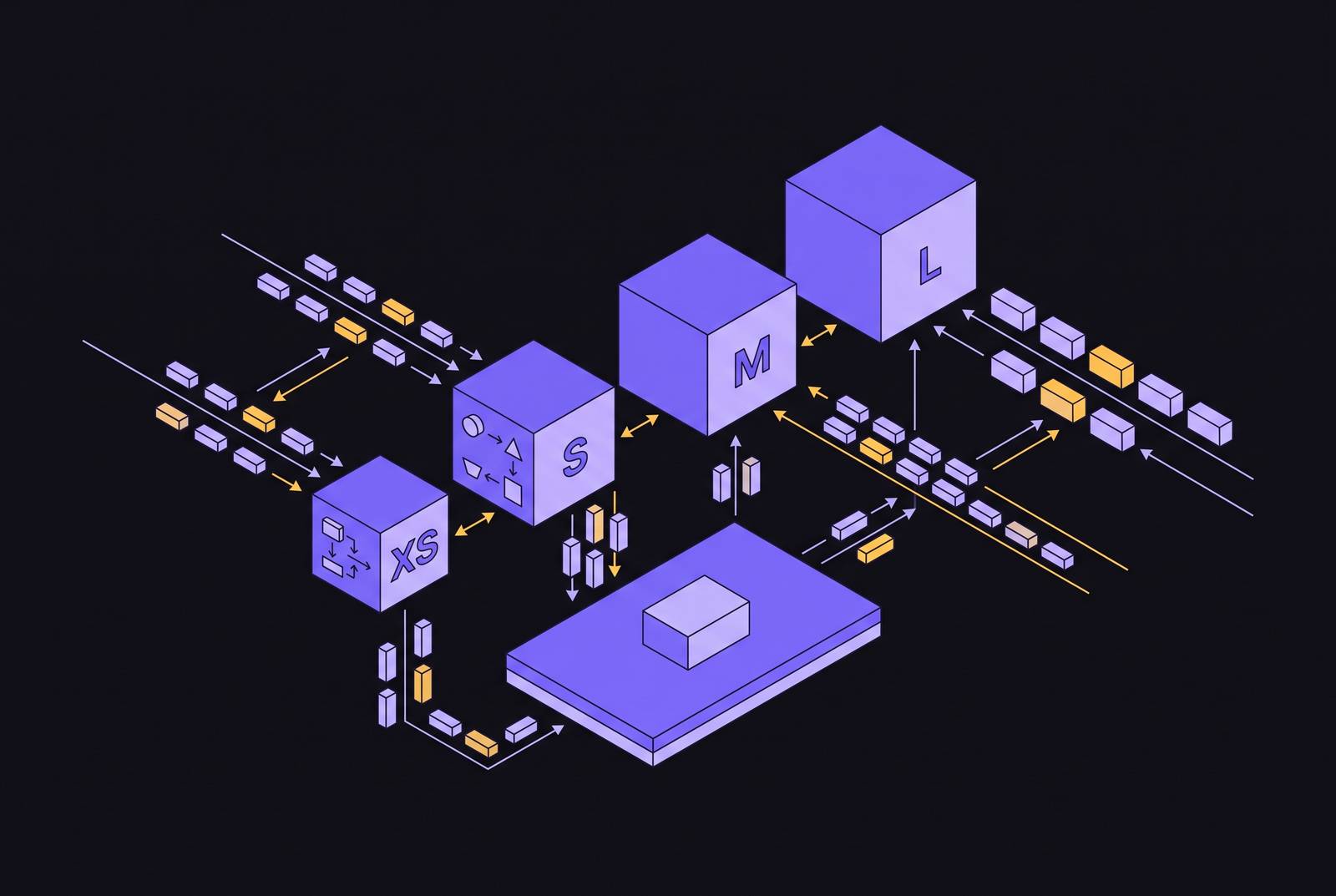
Size comes in t-shirt tiers, XS through 6XL, and each step up doubles the node count, the compute available, and the credits burned per hour. An XS warehouse runs on a single node with 8 CPUs and costs one credit per hour Analytics Today Capital One Software. Stepping up to Medium puts you at four nodes for four credits an hour Flexera / FinOps Capital One Software. Large doubles that again to eight nodes and eight credits Flexera / FinOps Capital One Software.
Billing runs per second with a 60-second minimum. A warehouse sitting idle, waiting for the next query, still burns credits the whole time it's up.
Warehouse size controls how fast a single query runs and how much memory headroom it has, not how many queries can run at once. That distinction is small on paper and enormous in practice. This conflict appears when ETL and interactive queries are forced to share the same cluster. Flexera / FinOps reports that the top end of virtual warehouse sizing reaches 512 nodes and 512 credits per hour. Two warehouse types are available, Standard and Snowpark-optimized, with Snowpark providing 16x more memory per node, designed for ML/memory-intensive workloads rather than the default ETL/query scenario.
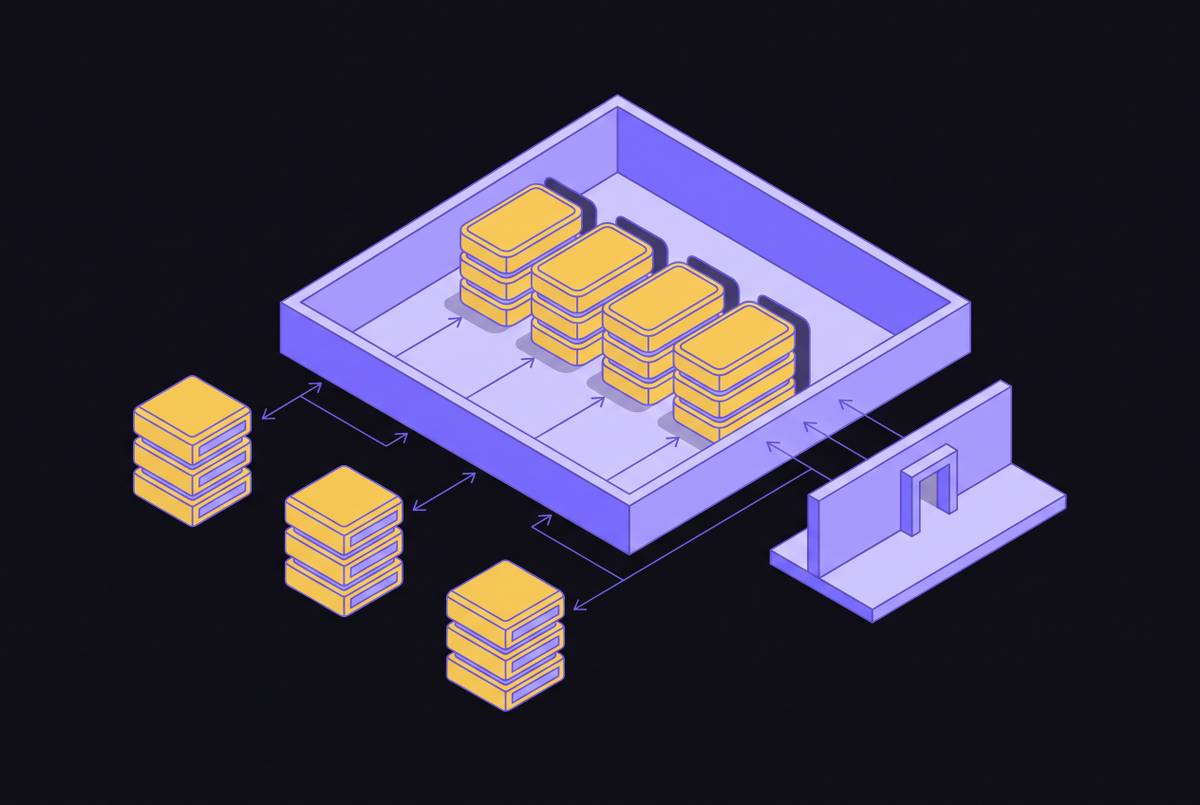
Resource conflict from sharing a warehouse between ETL and interactive queries
ETL work and interactive queries want opposite things from a warehouse. Interactive queries are short, frequent, and often fired off by several analysts at once, and they live and die by how fast the first byte comes back.
Putting both on the same warehouse means the ETL job eats the memory, leaving interactive queries to queue behind it or spill data to disk mid-execution, and analyst SLAs start slipping in ways nobody can predict in advance. One of the most common mistakes in every Snowflake deployment is running a mixed workload on a single shared warehouse.
The slowdown itself is only half the damage. Teams can't set SLAs or capacity expectations when resource availability fluctuates with the ETL schedule. An analyst load is bursty, and cache warmth matters, as reflected in a BI_WH configured as Medium, multi-cluster (MIN=1, MAX=3), with SCALING_POLICY=ECONOMY and AUTO_SUSPEND=60.
Disk spillage is the technical signal that this conflict has crossed from mild inconvenience into performance crisis, and it deserves its own explanation, which the next section covers in detail. Everything from here forward follows a decision tree: diagnose the workload first, then choose the fix, whether that's separation, resizing, scaling, or automation.
Reading the signals: how to diagnose whether your warehouse is undersized, oversized, or mismatched
Spillage is the primary signal, and it works like this: when a query exhausts the memory available to it, bytes spill first to local SSD, then to remote cloud storage. Remote spillage is the threshold that matters. Once a query is spilling to remote storage, query time degrades sharply, and the warehouse is, without much ambiguity, undersized for that workload. The place to check this is the QUERY_HISTORY view, specifically the bytes_spilled_to_remote_storage column; anything above zero deserves attention.
The economics here run counter to instinct. A Medium warehouse suffering heavy spillage might take 60 minutes to finish a job and cost 2 credits, while a Large warehouse with no spillage finishes the same job in 25 minutes for 1.66 credits medium.com. The bigger warehouse is faster and cheaper at the same time, because the smaller one was wasting so much time and I/O shuffling data to remote storage that its lower hourly rate never had a chance to pay off medium.com.
Underutilization is the mirror image of the problem. If average warehouse load sits below 60% during active hours and there's no spillage anywhere in sight, the team is simply overpaying for capacity nobody is using Seemore Data. Flat query runtimes across different warehouse sizes, paired with CPU that never approaches saturation, both point the same direction: downsize.
Queueing is a different animal entirely, and mixing it up with a memory problem leads to the wrong fix. When queries sit waiting in queue, warehouse load is high, but there's no spillage, the bottleneck is concurrency. The fix is either a bigger warehouse or more of them running in parallel, and the next section deals with exactly that choice.
Before touching any configuration, it's worth mapping out when ETL actually runs, when analysts hit the warehouse, and whether those windows overlap or stay cleanly separated. Snowflake's own documentation is deliberately vague on this point, offering no universal thresholds because workload context varies too much from one company to the next. Internal monitoring isn't optional.
Starting-size recommendations for ETL and query workloads before they share anything
The governing principle: start at the smallest size that avoids spillage and meets the SLA, and resist the urge to pre-optimize for a peak that might happen twice a year.
For ETL and batch transformation, the ladder looks like this. Light transformations, dev and test work, one-off queries: an XS handles it. Entry-level production ETL alongside light BI: Small. Mid-size ETL/ELT with moderate concurrency: Medium. Daily batch ETL working through large datasets or multi-step transformations needs Medium to Large, since the risk of disk spill climbs fast without that extra memory.
Interactive query and BI workloads scale differently. Low-concurrency dashboards running lightweight queries do fine on XS or Small. Moderate concurrent BI traffic, the kind pulling summary metrics, fits Small or Medium. Data science and ad hoc analytics are the outlier: unpredictable, often memory-heavy, and better served by a temporary scale-up or a multi-cluster arrangement than by permanently parking a large warehouse that sits mostly idle.
One caveat undercuts a lot of naive cost-cutting: doubling the warehouse size doubles the hourly rate, but if the workload is memory-bound, it can lower the total credits consumed, since the job finishes faster and stops burning credits sooner. What matters is total credit cost per completed job. It's total credit cost per completed job. These sizes are a baseline, and the next section covers what pushes a team off of it. For heavy CDC pipelines and large MERGE/UPDATE/DELETE jobs, Large or XL is recommended, since these operations are memory-intensive and benefit most from extra nodes.
Scale up or scale out: choosing the right lever for ETL versus query concurrency
Vertical scaling, a bigger warehouse, improves how fast a single query runs and how much memory it has to work with. That's the right lever for ETL: workloads that are heavy but few in number, memory-bound, or actively spilling to disk. It does nothing, however, for a warehouse where the actual problem is dozens of analysts hitting it at once and queuing behind each other. That's a concurrency problem, and no amount of vertical scaling fixes it.
Horizontal scaling, the multi-cluster warehouse, adds parallel clusters to absorb concurrent load. Entry-level production ETL and light BI fit a Small warehouse, and scaling from Medium to Large at 5:55 AM ahead of a 6 AM dbt run, then dropping back to Medium by 8 AM, is an example of the correct approach. Multi-cluster warehouses require Enterprise edition.
The scaling policy chosen for a multi-cluster warehouse carries its own tradeoff. STANDARD policy spins up a new cluster after roughly 20 seconds of sustained queuing, favoring performance over cost Seemore Data. ECONOMY policy waits closer to 6 minutes before adding a cluster, favoring cost over performance. Both, though, share a weakness: idle clusters stay running for somewhere between 2 and 6 minutes before spinning down, which quietly erodes savings during bursty, on-and-off workloads.
A concrete configuration illustrates the split well.
Auto-suspend settings should mirror that asymmetry directly. ETL warehouses ought to suspend aggressively, right after the job finishes, since there's no reason to keep memory reserved for a batch process that's done. BI warehouses benefit from a longer suspension window, because keeping the warehouse warm preserves the result cache and saves the next analyst's query from starting cold.
A third lever exists for situations where splitting the warehouse isn't yet an option: Query Acceleration Service offloads pieces of an outlier query away from the main warehouse, softening the blow when one resource-hungry query threatens to choke everything else sharing that pool. ETL_WH is configured as Large, single cluster (MIN=1, MAX=1), with AUTO_SUSPEND=300, because batch jobs need consistent memory, not elastic concurrency.
Separating ETL and query workloads onto dedicated warehouses
Separation earns its cost when a handful of conditions show up together. ETL and interactive windows overlap regularly, and no amount of rescheduling resolves the SLA conflict. Spillage keeps triggering during analyst hours, driven by ETL load that won't budge. Sizing up to fix the ETL side would over-provision the warehouse for the much lighter query load riding alongside it. Or the analysts need multi-cluster concurrency that the ETL jobs would never use, wasting credits on clusters sitting there for nobody's benefit.
Separation is not automatically the answer, though, and treating it as a default is its own kind of waste. If ETL runs overnight and BI runs during the day with no real overlap, a single warehouse handles both fine. If total workload volume is light enough that a Medium or Large absorbs everything without spillage or queuing, there's no conflict to solve in the first place.
Where separation is warranted, the setup is straightforward: route ETL jobs to a dedicated ETL_WH, sized appropriately and suspended aggressively the moment a job completes, and route interactive queries and dashboards to a BI_WH, sized smaller, running multi-cluster with economy scaling, and held open longer to keep the cache warm.
None of this is free. Running two warehouses simultaneously costs more than running one, and separation only wins on total cost when the shared alternative would have required over-sizing the single warehouse to cover the heavier of the two workloads anyway.
The stakes rise further for SaaS products that expose Snowflake connectivity to their own customers, where this separation question plays out per tenant rather than per team. Each customer's ETL and query patterns may need isolated compute just to keep one tenant's batch job from degrading another tenant's dashboard, and at that point the choice becomes an architecture decision rather than an operations decision, one that touches destination-level isolation and white-label connectivity design from the start.
Gen2 warehouses and the sizing calculus for DML-heavy ETL workloads
Gen2 is a next-generation Standard warehouse, not a new size tier, built on Graviton3 CPUs, DDR5 memory, larger CPU caches, and a query engine tuned specifically for that hardware. It became generally available across AWS, Azure, and GCP in November 2025, and the BCR-2250 change makes Gen2 the default for any new standard warehouse in supported regions, though existing Gen1 warehouses stay on Gen1 unless someone explicitly moves them medium.com Seemore Data.
CDC pipelines and high-churn tables that undergo constant upserts tend to be the heaviest part of a mixed-workload ETL footprint. An analysis covering 2 billion query profiles found Gen2 up to 25% more cost-effective for DML work specifically, and traced part of that gain to Gen2 warehouses scanning meaningfully fewer partitions than Gen1 did on the same queries Capital One Research.
None of this comes free, of course. On memory-intensive work, that 35% premium gets absorbed several times over by speed gains above 50%. On a simple SELECT or a small lookup, though, the premium buys nothing, and Gen2 isn't worth reaching for on lightweight workloads.
The sizing implication matters most here. Because Gen2 handles resources more intelligently, many teams can downsize by one or two levels, XL to Large, Large to Medium, and land better performance at 25 to 50% lower cost, or at the same cost with faster completion. One team processing 2 billion rows daily saw transformation windows drop from 4.5 to 2.7 hours using Gen2 for heavy workloads, while reducing total daily costs by 22% by routing lighter periods back to Gen1.
Gen2's DML acceleration reduces the size needed for ETL, which narrows the gap between what ETL needs and what queries need, making a shared warehouse more viable in some cases than it was under Gen1. In some cases, that narrowing makes a shared warehouse viable again in situations where Gen1 would have forced a split medium.com Seemore Data. The ETL-specific gains are as follows. Capitalone.com and medium.com report that DML operations are up to 5.5x faster compared to February 2025 Standard warehouses, with DELETE, UPDATE, and MERGE execution paths optimized to reduce write amplification. Gen2 carries a higher per-second rate of approximately 1.35x Gen1 on AWS and GCP, and approximately 1.25x on Azure.
Time-based and automated sizing strategies for workloads that shift throughout the day
The underlying rhythm rarely changes much: ETL load peaks overnight or in the early morning, interactive query load peaks during business hours, and weekend usage falls off almost entirely. A warehouse sized once and left alone can't serve all three states well: a BI_WH is configured as Medium, multi-cluster (MIN=1, MAX=3) with SCALING_POLICY=ECONOMY and AUTO_SUSPEND=60 because analyst load is bursty and cache warmth matters, while an example schedule scales from Medium to Large at 5:55 AM ahead of a 6 AM dbt run and drops back to Medium by 8 AM.
Time-based scheduling addresses this directly: size up right before a known ETL window starts, and size back down once it finishes. A warehouse might scale from Medium to Large at 5:55 AM ahead of a 6 AM dbt run, then drop back to Medium by 8 AM once the transformation is done. The same logic extends to Gen1 versus Gen2 routing: send the morning's DML-heavy ETL to Gen2, where it runs roughly 40% faster and comfortably meets its SLA, send the afternoon's lightweight SELECT traffic to Gen1, where the lower rate costs nothing in performance, and keep auto-suspend aggressive overnight so idle time doesn't quietly rack up credits.
Automated right-sizing takes this further by analyzing historical spillage, load percentage, and SLA adherence, then adjusting warehouse size on an hourly basis rather than waiting for a person to notice a pattern. One customer cut costs by 30% in the first month simply by eliminating static, one-size-fits-all configurations. More broadly, teams that move from manual tuning to continuous automation report compute cost reductions of up to 50%.
The scale-in gap deserves one more mention here, because it compounds across a full day of bursty traffic. Both STANDARD and ECONOMY multi-cluster policies leave clusters idling for 2 to 6 minutes before shutting down, and enforcing a stricter 1-minute idle timeout can meaningfully cut that waste. Manual sizing still has a place, and it works fine for ETL that's stable and predictable. The moment a workload starts shifting hour to hour, though, static configuration turns into a standing cost, one that automation is built to catch and a spreadsheet never will.
Sources
- 8 best practices for choosing right Snowflake warehouse sizes (2026)
- How to Automate Snowflake Warehouse Optimization (2026 Guide) | Seemore Data
- Snowflake Virtual Warehouses Explained: Size, Scaling & Best Practices
- Virtual warehouses | Snowflake Documentation
- How to Choose the Right Snowflake Warehouse Size | Capital One Software
- Warehouse considerations | Snowflake Documentation
- Snowflake Warehouse Separation vs Consolidation
- Snowflake Workloads That Should Never Share the Same Warehouse | Digiqt Blog